
Bring your existing setup into the conversation.
We offer mobile bidding support. If you already use an auction platform, share its name, your account contact, and the date when your catalog must be ready. Compatibility and integration responsibilities should be agreed before the event.
We’ll agree the platform, features, and responsibilities with you before the event, so your team knows what to prepare and where we can help.
Make the collection easy to understand.
Good photography, concise descriptions, and visible restrictions are just as important on a phone as at a display table. Use consistent lot numbers and make the minimum bid unambiguous. Link guests to package terms before they bid.
- Test registration and bidding on an ordinary phone.
- Check venue Wi-Fi and cellular coverage where displays will stand.
- Arrange a staffed help point for guests who need assistance.
Prepare for the close.
Agree closing times, notifications, payment responsibilities, and how staff identify paid items. Keep a practical fallback for connectivity problems and make sure the event lead knows who can authorize it. Rehearse the handoff between bidding and checkout before doors open.
Separate the technology from the event responsibilities.
Mobile bidding can connect the catalog, bidding, and checkout, but those functions still need named owners. Bring your existing provider into the planning conversation rather than assuming one system will cover every task.
| Decision | What to settle before setup |
|---|---|
| Platform and account | Which provider is in use, who holds the account, and what OFG support is included in the proposal. |
| Catalog preparation | Who enters items, checks images, publishes restrictions, and approves minimums and increments. |
| Guest assistance | Who handles registration questions and helps people who cannot or prefer not to bid on a phone. |
| Payment and export | Who collects payment, what records can be exported, and how a paid item is identified. |
Make the phone an invitation into the collection.
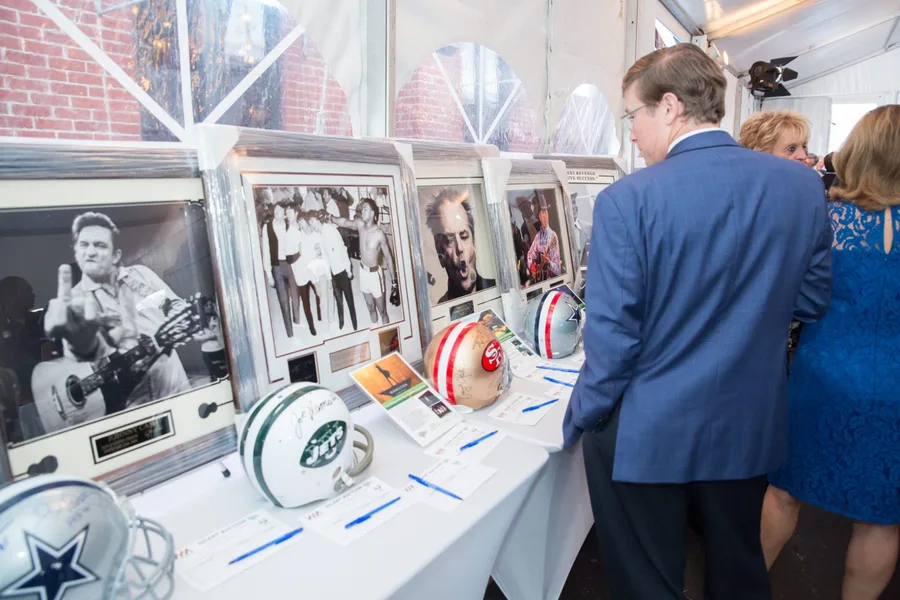
A mobile listing needs to answer a guest’s questions without relying on someone standing nearby. Lead with what the winner receives, then state the key conditions clearly. Use the same lot number on the display and in the platform so a guest looking at a framed piece can find it immediately.
Test the listing on a small phone screen. Check whether the image shows the whole item, whether long titles hide an important distinction, and whether restrictions appear before a bid is placed. A QR code can help guests reach the catalog, but a visible, readable alternative and a staffed help point make the experience more welcoming.
Rehearse on the network your guests will use.
A successful test at the office does not establish that the venue is ready. Check the actual display area, with the venue team involved.
- Confirm guest Wi-Fi access, sign-in requirements, and the cellular coverage available in the room.
- Complete registration, find a lot, place a permitted test bid, and check the resulting notification.
- Confirm the closing time and time zone shown to bidders, including remote participants.
- Walk through the transition from winning bid to payment and item release.
- Agree who can pause bidding or announce a fallback if connectivity fails.
Keep a controlled fallback.
If a connection drops, the most important question is which record remains authoritative. A separate paper list and an online auction can create conflicting winners if both continue accepting bids independently. Agree the interruption procedure with your platform provider and event lead before opening.
Prepare guest-facing instructions for the agreed fallback, and give staff a way to contact the decision maker. At close, reconcile the official result before collecting funds or releasing anything. Technology works best when the people around it know the plan.
A clear plan starts with a conversation.
Tell us about your guests, your event, and the responsibilities you would like help with.
Discuss mobile bidding support